The Unified Trading Account (UTA) streamlines your trading with access to Spot, Spot Margin, Perpetual, Futures, and Options trading. It allows traders to trade seamlessly without switching accounts. The supported margin assets in UTA can be collateralized, and a margin balance calculated in USD will be calculated. You can use the available margin balance to place orders across UTA's supported trading products, eliminating the need to hold specific settlement coins. It's a unified and efficient way to engage in multi-currency trading.
In this article, we will guide you through the Unified Trading Account Assets page.
Key Features
- Traders can transfer funds to the Unified Trading Account to perform Spot Trading, Margin Trading, USDT Perpetual, USDC Perpetual and Futures, Inverse Perpetual and Inverse Futures, and Options.
- Traders can manually borrow funds for Spot margin trading. To learn more about the Manual Borrow feature, please refer to this article.
- Although the subscription to Launchpad is using funds from your Funding Account, the allocated token from Launchpad will be distributed to the Unified Trading Account.
Unified Trading Account Overview
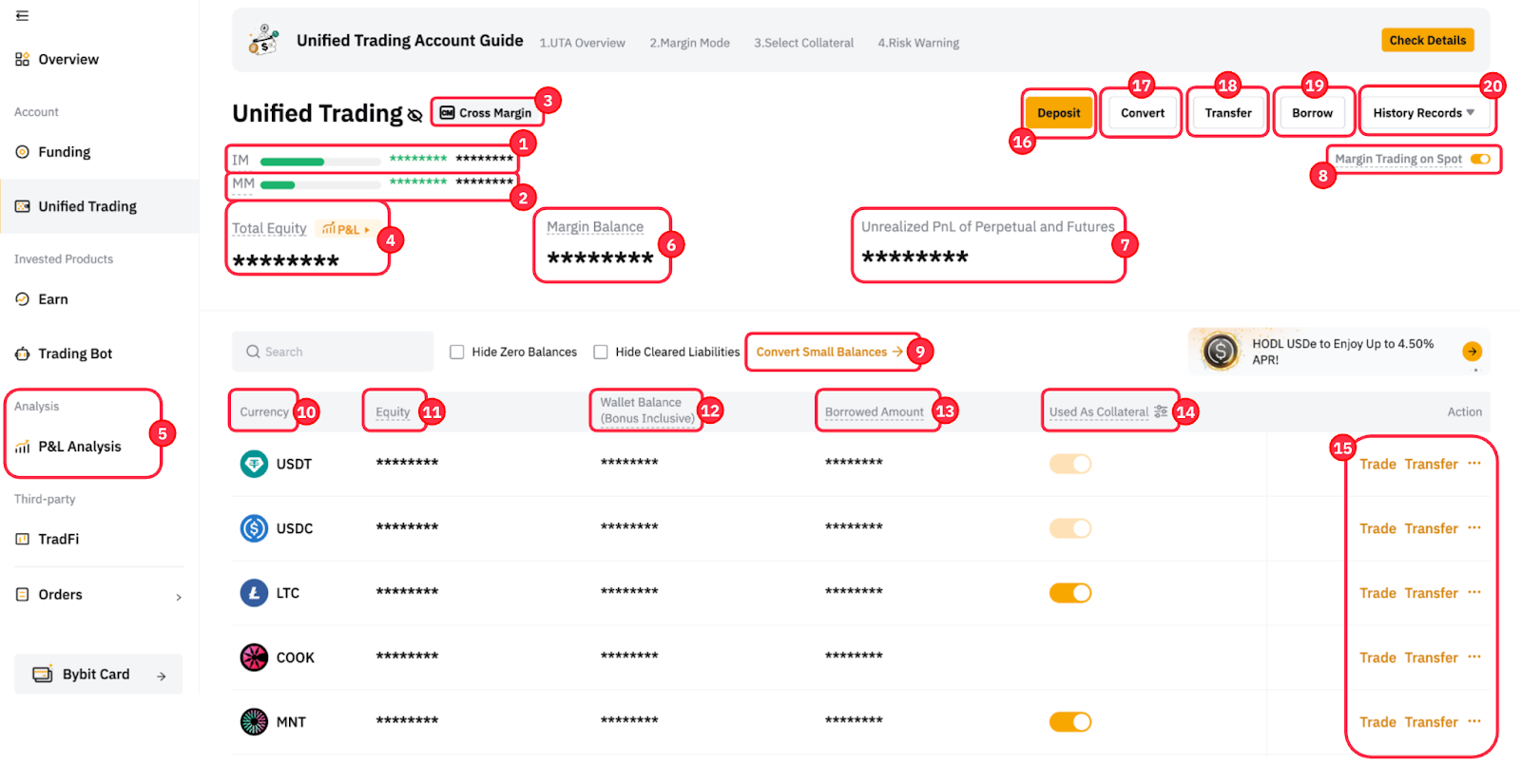
1 | IM (Initial Margin) | Isolated Margin
Cross Margin & Portfolio Margin
|
2 | MM (Maintenance Margin) | Isolated Margin
Cross Margin & Portfolio Margin
|
3 | Choose Margin Mode | You can switch your margin mode to either Isolated Margin mode, Cross Margin mode, or Portfolio Margin mode. Please note that you must fulfill the criteria to switch the margin mode. For more details, please visit here. |
4 | Total Equity | Isolated Margin
Cross Margin & Portfolio Margin
|
5 | P&L Analysis |
|
6 | Margin Balance | Isolated Margin
Cross Margin & Portfolio Margin
|
7 | Unrealized P&L of Perpetual and Futures | This includes all the unrealized P&L from USDT Perpetual, USDC Perpetual, and Futures contracts, by deriving the difference between the average entry price with the current mark price. However, please note that the actual realized P&L for your position will always be based on the difference between the average entry price and exit price, minus any trading fees or funding fees. |
8 | Margin Trading on Spot | Isolated Margin
Cross Margin & Portfolio Margin
|
9 | Convert Small Balances | You can convert any assets worth less than 0.001 BTC or equivalent into MNT, USDT, or USDC. For more information, please refer to How to Convert Small Balances. |
10 | Currency | Crypto assets that are currently supported in the Unified Trading Account. |
11 | Equity | This shows the equity for the respective coin, using the same formula as total equity. |
12 | Wallet Balance (Bonus Inclusive) | The actual number of coins that you physically held in your Unified Trading Account, including any bonus. |
13 | Borrowed Amount | The amount that you have borrowed for that respective coin. For more information about borrowing and repayment, please visit here. |
14 | Used as Collateral | Isolated Margin
Cross Margin & Portfolio Margin
|
15 | Action | This provides fast access to common functions to users, such as Trade, Transfer, Stake, Repay or Convert.
|
16 | Deposit | To make a crypto deposit, you can click on the Deposit button and follow the instructions in the How to Make a Deposit guide. |
17 | Convert | Similar to the Convert function mentioned in section no. 15, the feature enables you to exchange your fiat or crypto into other currencies easily without conducting trades through the Spot market. Read more on How to Convert Your Assets. |
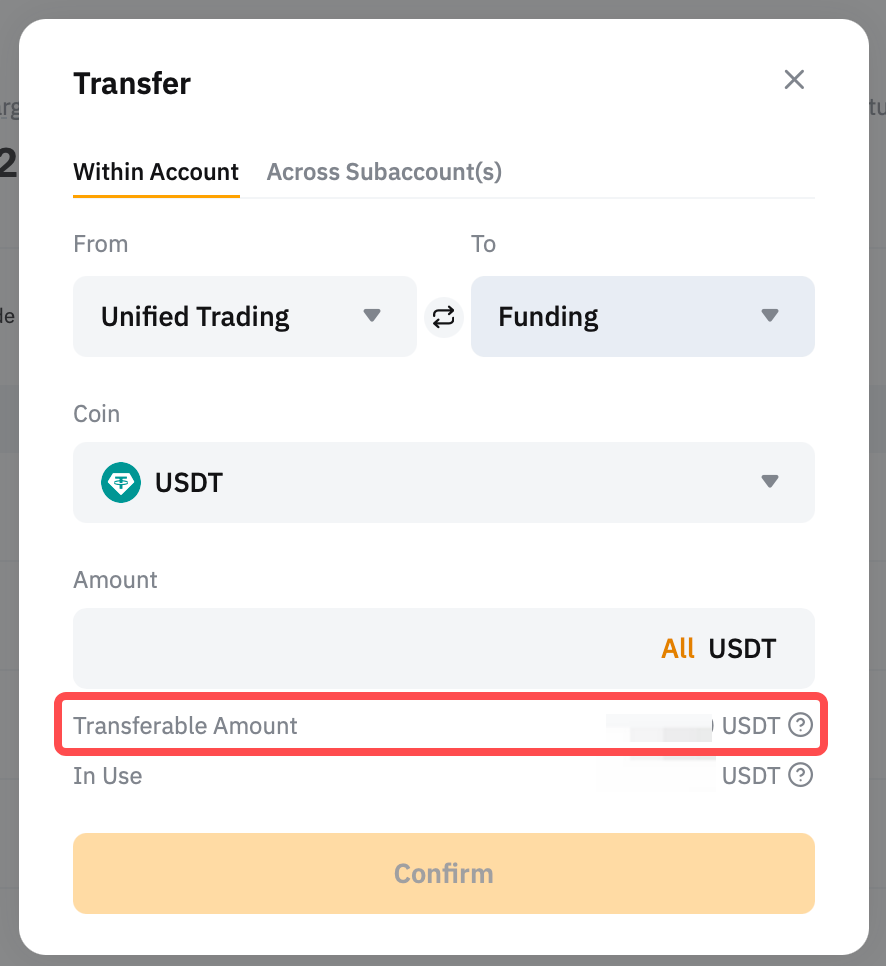
18 | Transfer | This allows you to transfer the selected coin within your Main Account or across your Subaccounts. Read more on How to Transfer Assets on Bybit. |
Transferable Amount |
Isolated Margin
Cross Margin & Portfolio Margin
| |
19 | Borrow | Click on this button, if you would like to manually borrow your preferred assets for trading. To learn more about manual borrowing, kindly refer to the following guide. |
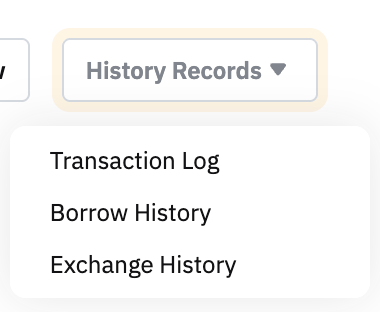
20 | History Records
| Transaction Log You can view the full asset change details in your Unified Trading Account from the transaction log. |
Borrow History
| ||
Exchange History The Exchange History displays the conversion history of the repayment coin to the borrowed coin, resulting from either manual or auto repayment. For more details, please refer to here. | ||
21 | Available Balance | This indicates the amount available for trades. However, it is not displayed on the Assets page. Traders can view it directly from the order zone of the trading page. The available balance for different coins on Spot Margin Trading could be different due to the reason for haircut loss. |